Navigate to Chart platform
Sign Up
Click Sign Up either on the top right section of the navigation bar or the bottom right dialog.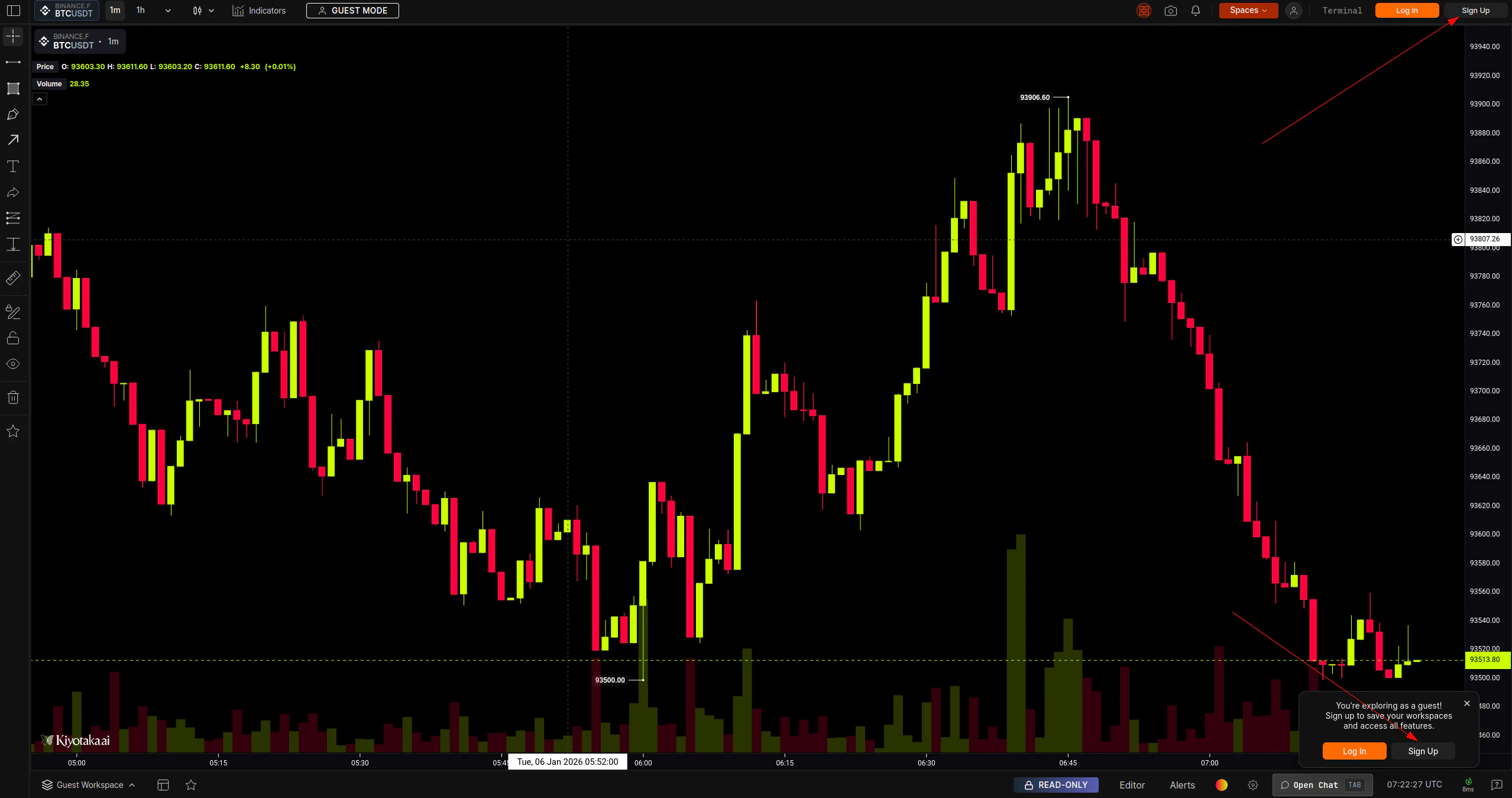
Select Option
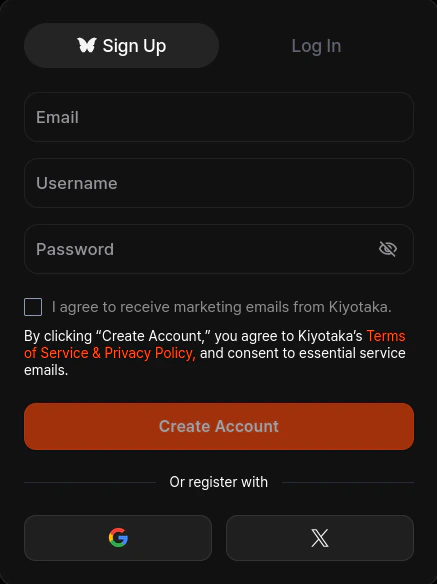
Register using one of the options below.
Option A: Email & Password
- Enter a valid email address, username, and a strong password.
- Check box to receive marketing emails from Kiyotaka (optional).
- Click Create Account.
Option B: Google
- Click the icon.
- Select your Google account in the popup window.
- You will be automatically logged in (email verification is usually handled automatically by Google).
Option C: X (formerly Twitter)
- Click the icon.
- Authorize Kiyotaka to access your basic profile information.
-
You will be redirected back to the platform logged in.